
Generate Your Tracked Campaign URL
How to Use UTM Parameters for Traffic Tracking
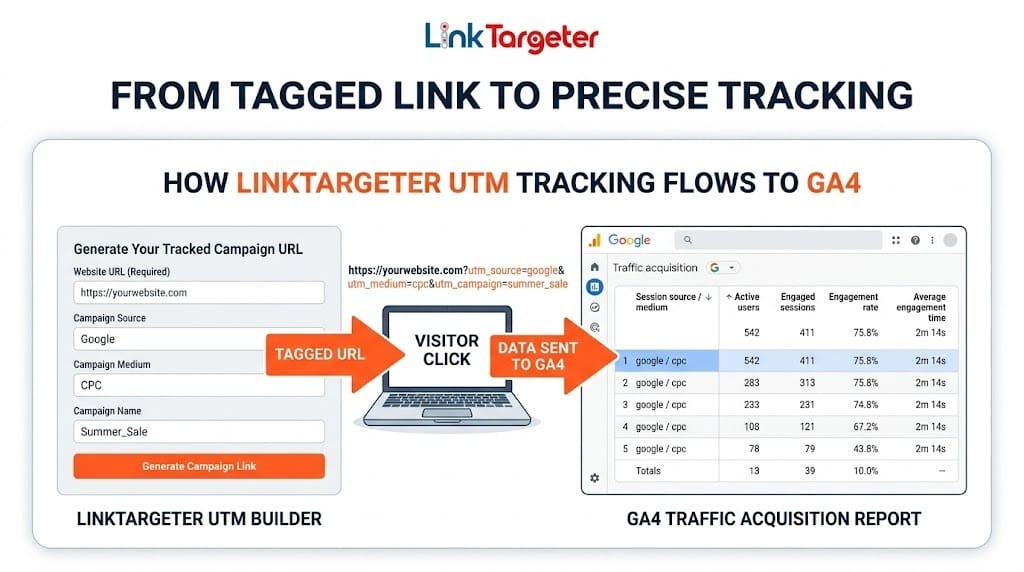
Our free UTM builder generates custom tracking URLs with precise campaign parameters to monitor website traffic sources accurately in Google Analytics 4 (GA4). When someone visits a tagged link, Google Analytics 4 (GA4) logs the specific channel, campaign, and medium.
Need help analyzing your data? Read our guide on how to verify paid traffic in GA4.
Campaign Source (
utm_source): Identifies the platform sending the traffic (e.g.,linktargeter,newsletter,google).Campaign Medium (
utm_medium): Identifies the marketing channel or traffic type (e.g.,targeted-traffic,cpc,referral).Campaign Name (
utm_campaign): Identifies the specific promotion, product, or test (e.g.,fall_promo,us_traffic_boost).
How to View Your UTM Campaign Data in Google Analytics 4
Log in to your Google Analytics 4 dashboard.
Navigate to Reports > Acquisition > Traffic Acquisition.
Set the primary dimension dropdown to Session source / medium or Session campaign.
View incoming visitor volume, engagement time, and bounce rate categorized by your custom UTM tags.
Ready to Start Tracking High-Quality Traffic?
Drive verified, targeted visitors to your newly tagged URL. Build your brand with affordable advertising. Need to forecast your ad spend before tagging? Use our Free CPM Calculator.