
When you invest in digital advertising, relying solely on a traffic provider’s dashboard or basic click counts is a quick way to waste your marketing budget. Clicks do not always equal human visitors, and without proper tracking, it is impossible to separate high-quality engagement from low-value bot traffic. Google Analytics 4 (GA4) provides the tools to audit your incoming traffic, but it requires properly tagged URLs to function effectively.
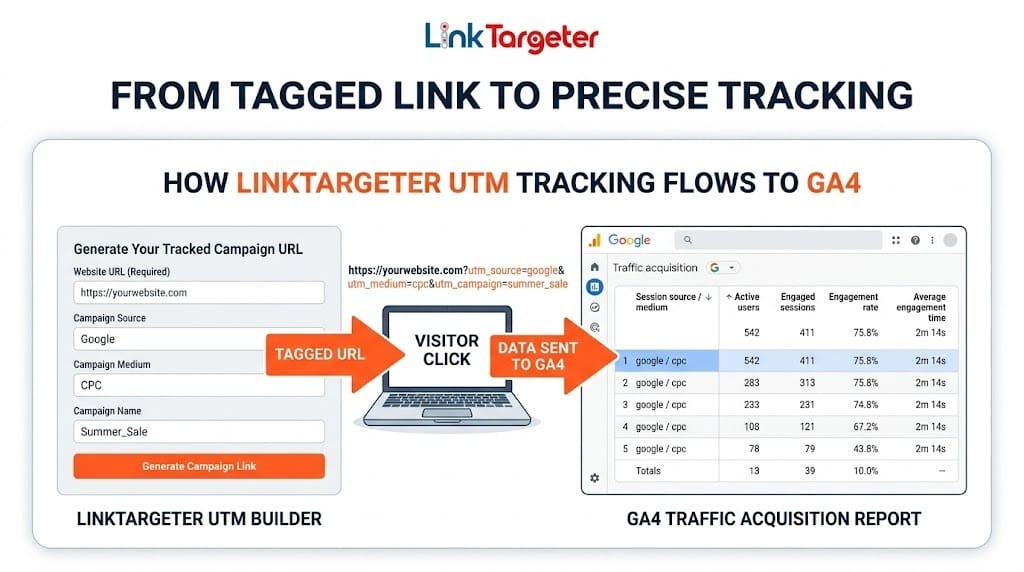
Step 1: Tag Every Campaign with UTM Parameters
By default, GA4 attempts to guess where your traffic comes from, often lumping paid visitors into vague categories like “Unassigned” or generic referral buckets. UTM (Urchin Tracking Module) parameters force GA4 to categorize your traffic exactly how you want it.
Instead of sending visitors to [yourwebsite.com/promo](https://yourwebsite.com/promo), you send them to a tagged URL generated by a UTM Builder. The essential tags include:
Campaign Source (
utm_source): The platform sending the traffic (e.g., google, newsletter, linktargeter).Campaign Medium (
utm_medium): The type of traffic (e.g., cpc, targeted-traffic, banner).Campaign Name (
utm_campaign): Your specific promotion (e.g., fall_promo, us_traffic_boost).
Step 2: Locate the Data in GA4
Once your campaign is live and visitors are clicking your tagged links, you can monitor their exact behavior inside your analytics dashboard.
Log into your GA4 account.
On the left sidebar, navigate to Reports > Acquisition > Traffic acquisition.
Scroll down to the main data table.
Click the primary dimension dropdown (usually set to Session default channel group) and change it to Session source / medium or Session campaign.
Your custom UTM tags will now populate this list, isolating your paid traffic from your organic search and direct visitors.
Step 3: Analyze Engagement Metrics to Spot Bot Traffic
The true value of UTM tracking is comparing the behavior of paid traffic against your baseline organic visitors. If your standard organic search traffic yields an average engagement time of around 45 to 50 seconds, you can use that benchmark to evaluate your paid campaigns.
Look specifically at the Average engagement time and Engaged sessions columns. If a paid traffic source delivers thousands of visitors but the average engagement time is zero seconds, or it gets categorized as “Paid Other” with a near-100% bounce rate, you are likely paying for bots. Conversely, traffic that holds a steady engagement time and triggers your on-site events confirms you are receiving verified, real human visitors.
Start Tracking Your Campaigns
Stop guessing what happens after the click. Before launching your next campaign, run your destination URL through a free UTM Builder to ensure every visitor is accounted for. Once you have your tracking in place, you can confidently scale your brand’s reach with verified, targeted traffic packages that deliver real results.